
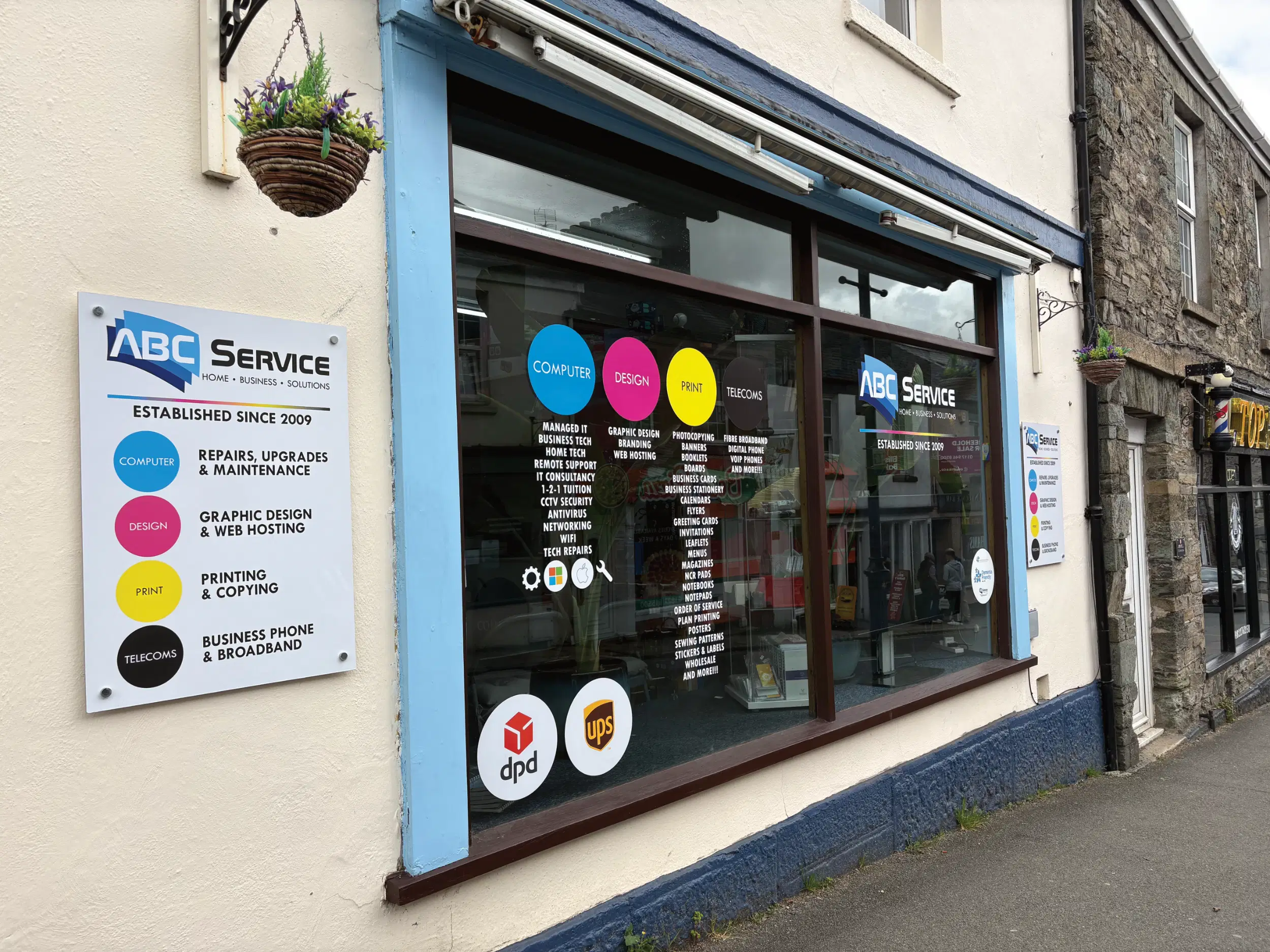
If you are trying to work out what kind of IT help makes sense, the first step is usually not "who should I call" but what problem am I actually dealing with. A cracked laptop screen in Tavistock, a sluggish family PC in Yelverton, and a business network issue in Plymouth may all feel urgent, but they do not all need the same response.
This guide is designed to help home users and SMEs across Devon and Cornwall make that call more confidently. Here’s what to look for, what each type of support actually means, and when it makes sense to choose a repair, managed IT, or an on-site visit.
When a Simple Repair Will Sort It
You might need a straightforward repair if the issue is mostly contained to one device and you can still safely bring it into a shop. That often applies to problems such as:
- A cracked laptop screen
- A battery that no longer holds charge
- A desktop that has become painfully slow over time
- A machine that is showing pop-ups, browser redirects, or other signs of malware
- A computer that will not boot properly after an update
In cases like these, a bench repair is often the most sensible route because the fault can usually be assessed methodically, without the pressure of trying to fix everything on-site.
A few useful checks can help you decide whether it is likely to be a repair issue:
- If the device powers on but performs badly, open Task Manager or Activity Monitor and see whether one application is consuming most of the memory or processor.
- If the screen is damaged but the computer still works, try connecting to an external monitor. That can tell you whether the issue is limited to the display.
- If you suspect a virus, look for new toolbars, browser changes you did not make, fake security warnings, or a noticeable slowdown after installing unfamiliar software.
- If the machine is noisy or overheating, blocked vents and internal dust may be part of the problem, especially on older laptops.
- If the issue started suddenly, think back to what changed just beforehand, such as a Windows update, a dropped device, a new peripheral, or software installation.
One practical tip that saves time is to write down exactly what happens and when. "It freezes after ten minutes on Wi-Fi" is far more useful than "it’s playing up". That kind of detail makes diagnosis much quicker.
If that sounds like your situation, the computer repair section is the right place to start. For current rates, there is also a natural next step on the Computer Repair Prices page.

When You Need Managed IT
A good sign you need managed IT is that the real problem is no longer a single broken device. Instead, it is the ongoing burden of keeping systems reliable, secure, updated, and recoverable.
Managed IT can sound like a vague term, but in plain English it usually means someone is actively helping to keep your business technology healthy in the background rather than only reacting after something goes wrong.
That often includes things like:
- Proactive monitoring so faults can be spotted early
- Security patching so computers, servers, and software stay up to date
- Backup management so copies of important business data are actually working and recoverable
- User and device oversight so new starters, leavers, laptops, and permissions do not become a mess over time
- Planning and advice when your setup needs to grow with the business
You might need managed IT if any of these sound familiar:
- You are spending too much time managing IT yourself
- Small issues keep interrupting the working day
- You worry about cyber security but do not know where to start
- Backups exist in theory, but nobody has checked them recently
- Different people in the business are all doing things differently
- You rely heavily on email, cloud systems, shared files, or remote access and cannot afford avoidable downtime
For many SMEs in Devon and Cornwall, this becomes relevant at the point where technology stops being incidental and starts affecting operations every day. A growing team in Okehampton may need better device management. A professional office in Plymouth may need clearer security processes. A business with hybrid staff spread between Cornwall and Devon may need more consistency around access, backups, and support.
If you are at the stage where firefighting has become the norm, it is worth reading more about Managed IT Services. Even if you are not ready for a fully managed arrangement, understanding the basics can help you spot gaps before they become expensive problems.
When an On-Site Visit Is the Answer
Some problems are tied to a place, not just a device. That is when an on-site visit is often the better answer.
You might need this if:
- Your office Wi-Fi works in one room but not another
- Several people are affected at once, not just one user
- A server, switch, router, or cabling issue is involved
- You are setting up a new workspace or moving desks and equipment
- Printers, phones, broadband, and network hardware all need to work together
- The problem only shows up in the building itself
This is especially true with awkward issues like network dead zones, unreliable patching between rooms, or equipment that has been added over time without a clear plan. In those cases, remote advice can only go so far. Someone often needs to see the environment, trace the layout, test the hardware, and work out where the weak point really is.
The team roles are useful here because different callouts suit different types of expertise:
- Nathaniel focuses on home IT support, including the sort of practical issues that affect day-to-day use such as printers, home networking, and getting devices talking to each other properly.
- Jack focuses on business IT support, where the issue may involve workstations, networks, shared systems, or infrastructure that multiple people rely on.
- Brett handles business consultancy and higher-level planning, which is particularly relevant for infrastructure decisions, more complex technical environments, or major changes such as office moves and wider system improvements.
If the issue involves the wider setup rather than one machine, an on-site visit is often the quickest way to get clear answers.

A Simple Way to Decide
If you are still not sure which route fits, this checklist usually helps.
| Situation | Most likely fit | What to look for |
|---|---|---|
| One laptop or PC is damaged, slow, infected, or failing to boot | Simple repair | The problem is limited to one device and you can bring it in |
| Your business keeps losing time to updates, passwords, backups, and recurring issues | Managed IT | The issue is ongoing management rather than a one-off fault |
| Wi-Fi, cabling, servers, or multiple devices in one location are involved | On-site visit | The problem is tied to the building or affects several users |
| You are planning growth, changing premises, or rethinking systems | Managed IT or consultancy | You need guidance, structure, and forward planning rather than a single fix |
A simple rule of thumb is this:
- Choose a repair when one machine is the main problem.
- Choose managed IT when the bigger issue is time, risk, or lack of consistency.
- Choose an on-site visit when the building, network, or wider setup is part of the fault.
For a broader overview of support options, the main computer services page is a useful reference point.

Summary and Takeaway
The right type of IT support depends less on how urgent the problem feels and more on where the problem actually sits. If it is one damaged or misbehaving device, a repair is often enough. If the challenge is ongoing maintenance, security, and keeping a business running smoothly, managed IT usually makes more sense. If the issue lives in the building itself, from patchy Wi-Fi to office infrastructure, an on-site visit is often the practical answer.
The main thing to remember is this — once you know whether the problem is with a device, a business process, or a physical setup, the next step becomes much clearer.
If you are weighing up the options, starting with the computer services page can help you decide which route fits best.
ABC Service
69 West Street, Tavistock, PL19 8AJ
01822 613154