
Have you ever sent an important invoice or a time-sensitive quote to a client, only to have them tell you three days later that they “never received it”? You check your sent folder, and everything looks fine. You didn’t get a bounce-back. So, where did it go?
More often than not, it’s sitting in their spam folder, or worse, it’s been silently blocked by their email provider.
In the early days of the internet, email was a bit like the Wild West. You could essentially put any name on the “From” line and hit send. Unfortunately, scammers and phishers have spent decades exploiting that simplicity. To fight back, the tech giants: specifically Google and Yahoo: have recently drawn a line in the sand.
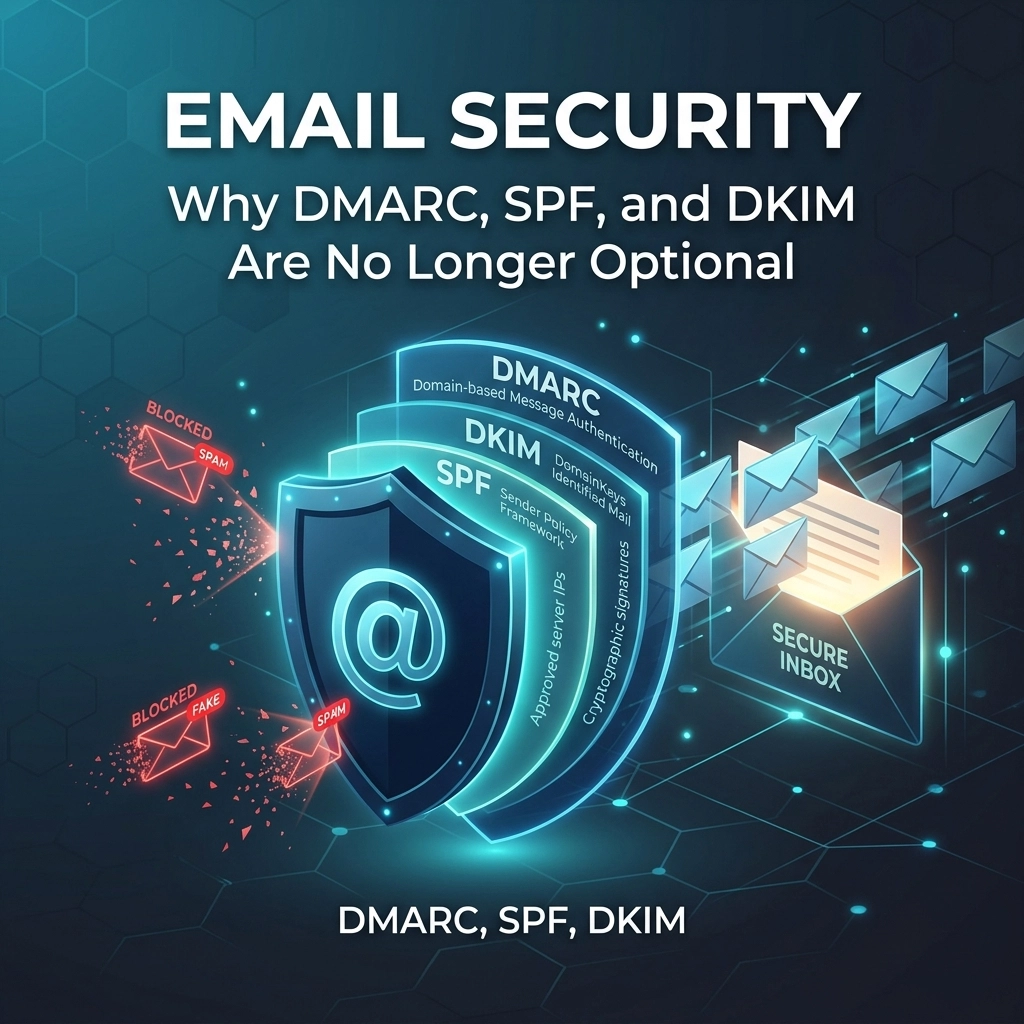
As of 2024, they have introduced strict requirements for email authentication. If your business isn’t using the “Big Three” of email security: SPF, DKIM, and DMARC: you are increasingly likely to be seen as a “suspicious sender.”
At ABC Service, we’ve seen a huge uptick in local businesses in Tavistock and across Devon struggling with deliverability issues. Today, we’re going to break down what these acronyms mean in plain English and why they are vital for your business survival in 2026.
The “Passport” Analogy: How Email Authentication Works
If you’re not a technical wizard, these acronyms can feel like alphabet soup. To make it easier to understand, let’s imagine your business email is a traveller trying to cross a border (the recipient’s inbox).
1. SPF (Sender Policy Framework): The Approved Guest List
Think of SPF as a guest list held by the border guard. It’s a record in your domain settings that lists every server or service (like Microsoft 365, Mailchimp, or your website) that is authorised to send email on your behalf.
If an email arrives from your address, the recipient’s server checks the “guest list.” If the server that sent the email isn’t on the list, it looks suspicious.
2. DKIM (DomainKeys Identified Mail): The Wax Seal
DKIM adds a digital signature to your emails. In our analogy, this is like a royal wax seal on an envelope. It proves that the letter hasn’t been opened or tampered with since it left your desk. It uses cryptographic keys to verify that the “From” address is genuine and the content remains exactly as you sent it.
3. DMARC (Domain-based Message Authentication, Reporting, and Conformance): The Instruction Manual
This is the big one. DMARC tells the recipient’s server exactly what to do if the SPF or DKIM checks fail. Should they let the email through anyway? Put it in spam? Or reject it entirely?
DMARC also provides something incredibly valuable: Reporting. It sends you a regular report showing who is trying to send emails using your domain name. This gives us total visibility into whether scammers are trying to impersonate you.
Why Google and Yahoo Changed the Rules
You might be thinking, “I’ve been sending emails fine for ten years, why does this matter now?”
The reality is that 91% of all cyberattacks start with a phishing email. To protect their users, Google and Yahoo now require anyone sending more than 5,000 emails a day to have these records perfectly configured.
But here is the catch for small businesses: while you might not send 5,000 emails a day, the “gatekeepers” are applying these standards more broadly across the board. Even if you only send 50 emails a day, having these records in place drastically improves your “sender reputation.” Without them, your professional business email looks, to an automated filter, exactly like a scammer’s email.
The Danger of Doing Nothing
If your business lacks proper SPF, DKIM, and DMARC configuration, you’re facing two major risks:
1. The “Spam Folder” Death Loop
Once your emails start being flagged as spam, it becomes a self-fulfilling prophecy. The more your emails are ignored or marked as junk, the lower your reputation drops. Eventually, even your most loyal clients won’t see your messages because their inbox provider has decided you aren’t trustworthy.
2. Brand Damage (Spoofing)
Scammers love to “spoof” local businesses. They can send out fake invoices that look like they come from your email address. Without DMARC, you have no way of stopping this and no way of even knowing it’s happening until a confused customer calls you to ask why you’re asking for payment in Bitcoin.

How We Approach This at ABC Service
As a Microsoft Partner, we specialise in ensuring that business communication is secure, reliable, and professional. We don’t just “tick a box”; we look at the whole picture of your IT infrastructure.
When we help a client in the South West with their email security, we follow a structured process:
- Audit: We identify all the services currently sending mail on your behalf (you’d be surprised how many there are!).
- Configuration: We precisely write the SPF and DKIM records to match your specific needs.
- DMARC Implementation: We start with a “monitoring” policy to ensure we don’t accidentally block legitimate mail, then slowly tighten the screws until your domain is a fortress.
- Ongoing Monitoring: We keep an eye on those DMARC reports to spot any unauthorised activity.
“Email security isn’t just about stopping the bad guys; it’s about making sure the good guys: your customers: actually hear from you.” – Brett, Director at ABC Service
It’s About More Than Just Tech: It’s About Trust
In a world where we are all constantly bombarded by digital noise, trust is your most valuable currency. When your email arrives with all the correct “security handshakes” in place, it tells the recipient’s system (and the recipient themselves) that you are a legitimate, professional organisation.
This is especially important if you are aiming for Cyber Essentials certification, which we highly recommend for any business handling sensitive client data. Having your email security sorted is a foundational part of that process.

Frequently Asked Questions
“Do I need this if I only use Outlook/Microsoft 365?”
Yes. While Microsoft provides some basic protections, the specific DNS records for SPF, DKIM, and DMARC must be configured manually for your specific domain name (e.g., @yourbusiness.co.uk). It doesn’t happen automatically!
“Will this stop me from receiving spam?”
Not directly. These protocols are designed to protect your reputation and ensure your outgoing mail is delivered. However, having a properly configured domain makes it much harder for hackers to use your identity to attack others.
“Is it expensive to set up?”
Compared to the cost of a missed contract or a spoofing attack, it is incredibly cost-effective. For most small businesses, we can get this sorted quickly as part of our managed IT support services.
“Can I do it myself?”
If you are comfortable editing DNS records and understanding “p=quarantine” vs “p=reject” policies, you can. However, a small typo in an SPF record can actually result in all of your emails being blocked globally. It’s usually best to let an expert handle it.
Summary: Your 3-Step Checklist
If you want to ensure your business emails keep hitting the inbox, here is what you should do:
- Test Your Current Status: There are free tools online that can check your SPF/DKIM/DMARC status, or you can simply contact us for a quick audit.
- Verify Your Senders: Make sure your website contact forms and newsletter tools (like Mailchimp) are included in your SPF record.
- Implement DMARC: Don’t leave the “instruction manual” blank. Set a DMARC policy to protect your brand from impersonation.

At ABC Service, we’re proud to support the business community in Tavistock, Devon, and beyond. We believe that professional IT support should be accessible, friendly, and jargon-free. Whether you’re a solo entrepreneur or a growing business, we’re here to make sure your technology works for you, not against you.
If you’re worried that your emails aren’t reaching their destination, or if you just want the peace of mind that your domain is secure, give us a shout. We’d be happy to help you navigate the “alphabet soup” of email security.
Ready to secure your business?
Book a consultation with our team today or explore our Business IT services to see how we can help your business thrive.