
We have all been there. You are right in the middle of an important video call, or perhaps you’ve finally sat down to stream that new series everyone is talking about, and then it happens, the dreaded buffering circle.
At ABC Service, we hear about WiFi frustrations every single day. Whether you are running a busy office in Plymouth or trying to get a signal in a thick-walled cottage in Tavistock, poor wireless performance can be incredibly disruptive. While some issues definitely require a professional Complete WiFi installation, many common problems can be solved with a few simple tweaks.
We believe in being a responsible local partner, which means we want to help you get the most out of your current setup before you even think about spending money on new gear. Here are our top five practical tips to help you optimise your router performance and get your internet running smoothly again.
1. Location, location, location
It might sound like a real estate cliché, but where you put your router is the single most important factor in your WiFi speed. Many people treat their router like an eyesore, tucking it away in a cupboard, hiding it behind the TV, or leaving it on the floor in the hallway.
WiFi signals are like light bulbs. If you put a lamp inside a cupboard, the room won't be very bright. To get the best coverage, your router needs to be out in the open.
- Go Central: Aim to place your router in the middle of your home or office. If it's tucked away in a corner of the building, half of your signal is literally being sent outside to the street.
- Get High: WiFi signals actually travel slightly downwards and outwards. Placing your router on a shelf or mounted high on a wall will give you much better coverage than leaving it on the floor.
- Avoid the "Tech Cupboard": We know it's tempting to hide all those cables, but wood, metal, and plasterboard all soak up your signal. Give your router some breathing room.
2. Identify the ghost interference
Sometimes, the things slowing down your WiFi aren't even connected to the internet. Because WiFi uses radio waves, other household appliances can cause "noise" that interrupts the signal.
In our experience supporting local businesses and homes across Devon and Cornwall, we’ve found that the most common culprits are often the ones you’d least expect.
- The Kitchen Battle: Microwaves are notorious for this. They operate on the same 2.4GHz frequency as many routers. If your internet drops out every time you heat up your lunch, you now know why!
- Other Electronics: Cordless phones, baby monitors, and even some Bluetooth speakers can interfere with your wireless performance. Keep your router at least a metre away from other electronic devices if possible.
- Mirror, Mirror: Believe it or not, large mirrors can reflect and distort WiFi signals. If you have a massive decorative mirror right next to your router, it could be bouncing the signal back and causing "dead zones" in other rooms.
If you are struggling with dead spots that just won't go away, it might be time for a professional site survey. We can help map out exactly where the interference is coming from.
3. Understand the frequency bands
Most modern routers, including the WiFi 6 routers we provide as standard with our broadband packages, are "Dual Band." This means they broadcast two different signals: 2.4GHz and 5GHz. Understanding the difference is key to a faster experience.
- 2.4GHz (The Long-Distance Runner): This frequency is great at travelling through walls and covering long distances, but it is much slower. It is also more crowded because so many other devices use it. Use this for things like smart light bulbs or printers that don't need much speed.
- 5GHz (The Sprinter): This is much faster and less prone to interference, but it has a shorter range and struggles with thick walls. Use this for your laptop, gaming console, or smart TV for the best performance.
Pro Tip: If your router lets you, give the 2.4GHz and 5GHz bands different names (SSIDs) in the settings. This allows you to manually connect your high-demand devices to the 5GHz band, ensuring they aren't stuck in the "slow lane."
4. The classic reboot and update
It has become a bit of a joke in the tech world, but "have you tried turning it off and on again?" is actually very good advice for routers.
Like any computer, a router can get bogged down with temporary bugs or memory leaks over time. A quick power cycle (unplugging it for 30 seconds and plugging it back in) clears the "brain" of the router and forces it to find the least congested wireless channel.
Don't forget the firmware!
Manufacturers frequently release "firmware" updates. These are small software patches that can improve security and, crucially, optimise performance.
- Check your router’s mobile app or log into the admin panel via a web browser once a month.
- If there is an update available, install it! It often includes fixes for known connectivity issues.
If you are an ABC Service client on one of our Managed Network Solutions, we take care of these updates for you, so you can focus on your work without worrying about the technical "under-the-hood" stuff.

5. Know when it is time to upgrade
If you have tried all the tips above and your WiFi is still crawling, it might simply be that your hardware can't keep up with modern demands. A router from five or six years ago wasn't designed for a world where we have five people all on video calls at the same time.
Is it time for Mesh?
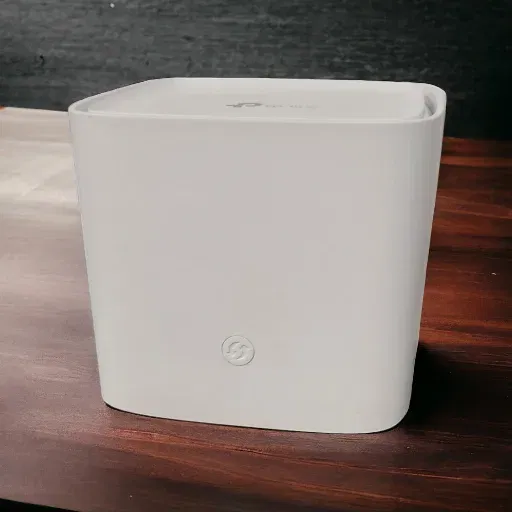
For larger homes or offices with multiple floors, a single router often isn't enough. Instead of using "range extenders" (which often just make the problem worse by creating more interference), we recommend a Mesh WiFi system.
A Mesh system uses multiple "nodes" placed around your building that talk to each other to create one single, seamless blanket of WiFi. Unlike extenders, there is no drop in speed as you move from room to room.
The WiFi 6 Advantage
The latest standard, WiFi 6, is designed specifically to handle a huge number of devices simultaneously. If your office has 20 people all using laptops and phones, an older router will simply choke. Upgrading to a professional Business Broadband package with a WiFi 6 router can make a night-and-day difference.
Summary and next steps
Optimising your WiFi doesn't always require a degree in computer science. By simply moving your router to a central, high location, avoiding interference from other electronics, and choosing the right frequency bands, you can often see a significant boost in performance.
However, we know that every building is different. If you have tried everything and you are still seeing that buffering circle, we are here to help. Whether you need a simple Broadband upgrade or a fully managed network for your business, we pride ourselves on providing honest, local advice without the jargon.
Ready to say goodbye to dead zones? Give our friendly team in Tavistock a call on 01822 613154 or drop into the shop on West Street. We’d be more than happy to chat about how we can get your tech running exactly as it should.